
Adding Tags
How To Add A Tag To Your Ambassador Link
In this article, you will learn how to add a tag to an Ambassador link, to track the traffic source.
This can be done using the "TK" parameter, which should be added to the link just after the Ambassador ID, following the steps below:
Create the Ambassador link: Just add "?sa=AMBASSADORID" at the end of the URL, replacing "AMBASSADORID" with your Ambassador ID. Click here to see the detailed procedure.
Add &tk= at the end of the Ambassador link
Add the tag you want Example: You want to add the tag "youtube" to the Ambassador link to promote the NuCalm Webinar registration page
Let's say your Ambassador ID is: sa00041537157dbe466c95a6395de4e031d503bea587
link: https://www.nucalm.org/free-webinar-training
Ambassador link: https://www.nucalm.org/free-webinar-training/?sa=sa0004537157dbe466c95a6395de4e031d503bea587
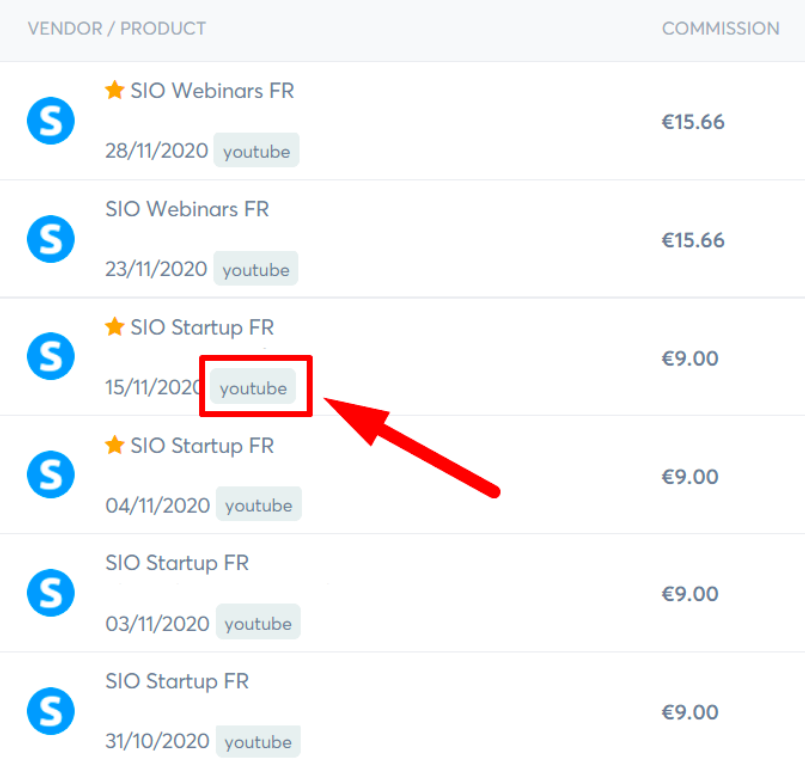
Ambassador link to add the tag "youtube": https://www.nucalm.org/free-webinar-training?sa=sa0004537157dbe466c95a6395de4e031d503bea587&tk=youtube The "youtube" tag will be added to all sales made from this link as shown in the example below.
U.S. Patent Registration No.: 9,079,030: Systems and methods for maintaining and balancing the health of the human autonomic nervous system.
U.S. Patent Registration No.: 11,090,459: Methods and devices for applying dynamic, non-linear oscillations and vibrations to elicit a physiological state change in humans.